

Finding clear, affordable hearing support has never been easier for British adults over 50. With more than 70 percent of people experiencing age-related hearing challenges, the search for convenient and effective solutions is growing. Skipping long clinic visits and complex setups, this guide walks you through practical steps to use modern hearing aids at home. You will discover straightforward strategies to maintain your devices, connect with helpful apps, and adjust sound profiles for everyday comfort.
Table of Contents
- Step 1: Prepare And Charge Your Hearing Aids
- Step 2: Pair Devices With The Smartphone App
- Step 3: Access And Customise Sound Profiles
- Step 4: Test And Fine-Tune Volume And Clarity
- Step 5: Save Adjustments And Check Daily Comfort
Quick Summary
| Key Point | Explanation |
|---|---|
| 1. Charge Hearing Aids Properly | Align devices correctly in the charging dock for optimal performance. |
| 2. Pair with Smartphone App | Connect hearing aids to the app for personalised settings and monitoring. |
| 3. Customise Sound Profiles | Adjust sound settings based on environment for improved listening clarity. |
| 4. Fine-Tune Volume and Clarity | Test and adjust volume in different settings for best sound quality. |
| 5. Save and Document Preferences | Keep a record of configurations for everyday comfort and easy adjustments. |
Step 1: Prepare and charge your hearing aids
Charging your hearing aids correctly ensures optimal performance and extends their operational lifespan. Before beginning, gather your charging dock, hearing aids, and ensure you have a stable power source nearby.
Start by carefully checking the orientation of your hearing aids when placing them in the charging dock. Most modern devices have clear left and right indicators to prevent incorrect placement. Proper charging techniques require clean contacts and precise alignment. Gently position each hearing aid in its designated charging slot ensuring the metal charging points connect smoothly. Most rechargeable hearing aids will display a light indicator confirming successful charging contact.
Typically charging cycles take approximately 3-4 hours for a full battery, providing 18-24 hours of continuous use. Always keep your charging dock in a cool dry location away from direct sunlight or moisture. If your devices do not power on after charging, consult the user manual or contact technical support.
Top tip: Keep a small microfibre cloth near your charging station to wipe device contacts and prevent dust accumulation before each charging session.
Here is a summary of charging and maintenance considerations for hearing aids:
| Aspect | Importance | Best Practice |
|---|---|---|
| Placement | Ensures correct charging connection | Align metal contacts carefully |
| Charging Time | Provides daily operational readiness | Allow 3-4 hours for full charge |
| Dock Environment | Preserves battery and device condition | Store in cool, dry spaces |
| Contact Cleaning | Prevents charging and performance issues | Wipe contacts before each charge |
Step 2: Pair devices with the smartphone app
Connecting your hearing aids to a smartphone app opens up a world of personalised hearing control and convenience. This process allows you to adjust settings discreetly and monitor your device performance directly from your mobile.
Bluetooth pairing instructions are straightforward and typically involve a few simple steps. Begin by ensuring your smartphone’s Bluetooth is activated and your hearing aids are fully charged. Open your hearing aid manufacturer’s official smartphone app and follow the specific device pairing process. Most apps will guide you through a step by step connection sequence requiring you to place your hearing aids in discovery mode.
Once connected, you will gain access to advanced features like volume adjustment, programme selection, and battery status monitoring. The app remembers your devices for automatic reconnection in future, making daily use seamless. If you experience any connection difficulties, restart both your smartphone and hearing aids before attempting pairing again.
Top tip: Keep your smartphone and hearing aids within one metre during the initial pairing process to ensure a stable Bluetooth connection.
Step 3: Access and customise sound profiles
Customising your hearing aid sound profiles allows you to optimise your listening experience across different environments and personal preferences. Understanding how to fine tune your device ensures you receive crystal clear sound tailored precisely to your hearing needs.
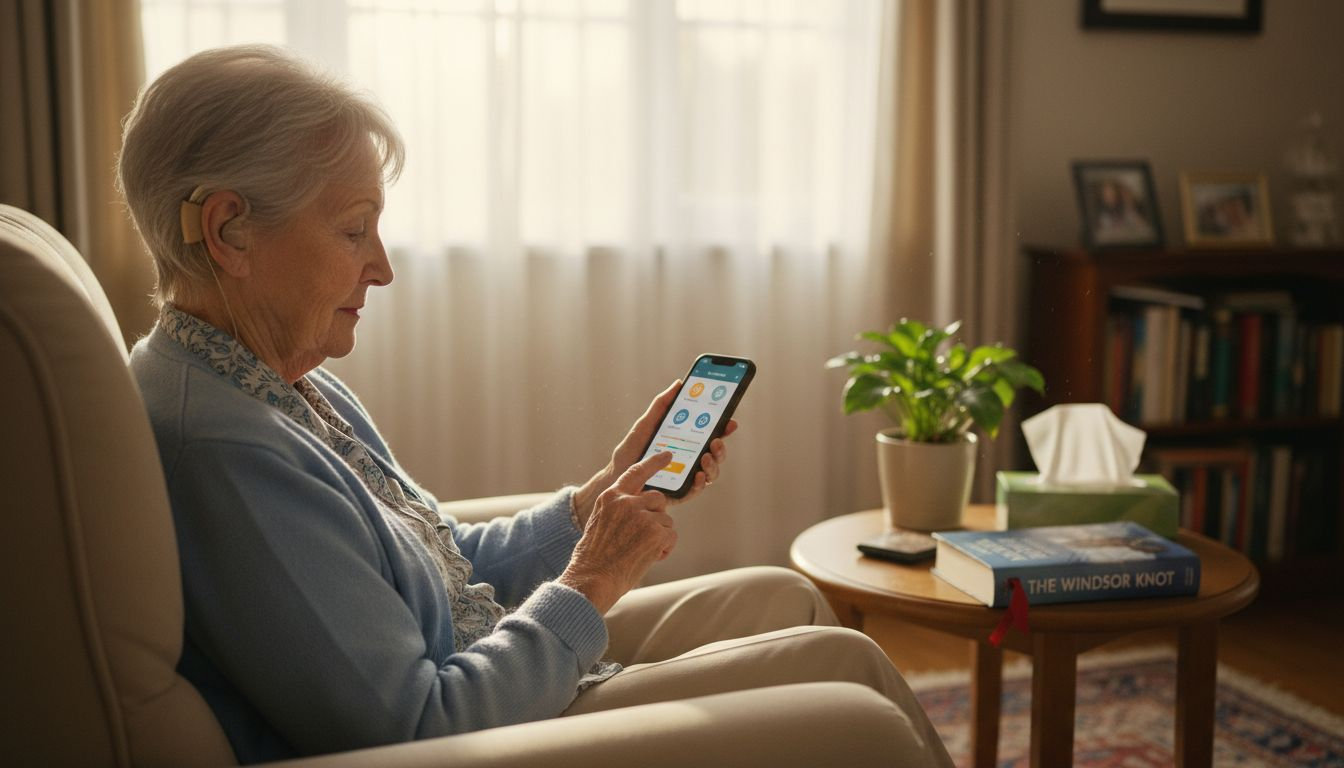
Programmable hearing aid settings offer remarkable flexibility for adapting to various acoustic scenarios. Most modern hearing aids include preset environmental modes like quiet indoor spaces, noisy restaurants, outdoor settings, and music listening. Access these through your smartphone app by navigating to the sound profile or programme section. Each profile adjusts microphone sensitivity, noise reduction algorithms, and frequency amplification to match specific listening conditions.
Experiment with different sound profiles in real world settings to understand their nuanced differences. Pay attention to how each profile manages background noise and speech clarity. If you find the automatic settings do not quite match your requirements, many devices allow manual fine tuning through advanced app settings or consultation with your audiologist.
Top tip: Create and save custom sound profiles during different daily activities to build a personalised library of hearing configurations that work best for your unique hearing experience.
Here is a reference overview of common hearing aid sound profiles and their typical uses:
| Sound Profile | Ideal Environment | Core Adjustment Focus |
|---|---|---|
| Quiet/Indoors | Home, libraries, offices | Reduces background noise |
| Restaurant | Busy cafés, dining areas | Enhances speech clarity |
| Outdoors | Parks, streets, nature | Wind and environmental filtering |
| Music Listening | Concerts, music at home | Expands frequency range |
Step 4: Test and fine-tune volume and clarity
Fine-tuning your hearing aids is crucial for achieving optimal sound quality and ensuring your personal hearing needs are precisely met. This process involves carefully adjusting volume levels and clarity across different listening environments to create a personalised hearing experience.
Real ear measurements and hearing reassessments provide professional guidance for achieving the most accurate sound settings. Start by testing your hearing aids in multiple environments such as quiet rooms, busy cafes, and outdoor spaces. Use your smartphone app to incrementally adjust volume and compare how different settings impact your hearing clarity. Pay close attention to speech intelligibility and background noise reduction.
Begin with lower volume settings and gradually increase until sounds become comfortably clear. If certain frequencies remain challenging, consult your audiologist about more targeted programming. Most modern hearing aids offer adaptive technology that learns from your manual adjustments, automatically improving performance over time.
Top tip: Keep a daily log of hearing experiences and specific sound challenges to share with your audiologist during fine-tuning appointments, helping them make more precise adjustments.
Step 5: Save adjustments and check daily comfort
Completely personalising your hearing aid settings involves careful documentation of your daily experiences and comfort levels. This final stage ensures your device remains optimally configured for your specific hearing requirements.
Regular hearing aid maintenance and aftercare checks are essential for long term performance. Use your smartphone app to save each configuration profile you create, ensuring you can easily revert or modify settings. Create separate profiles for different environments like quiet spaces, busy restaurants, outdoor areas, and work settings. Make note of which configurations provide the most comfortable listening experience.
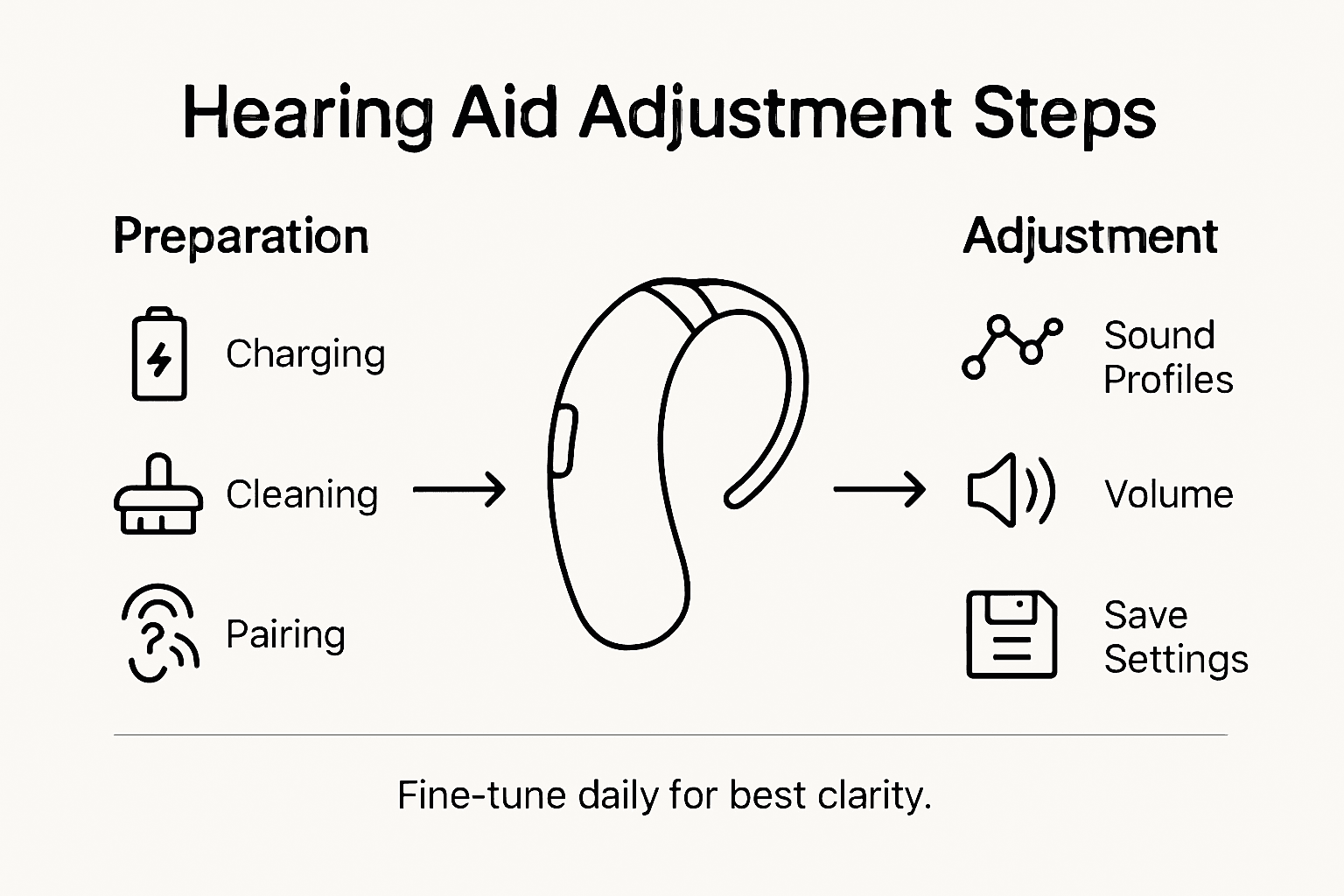
Consider performing a daily comfort assessment by paying attention to sound clarity, volume comfort, and any potential ear irritation. If you notice persistent discomfort or inconsistent performance, schedule a follow up appointment with your audiologist. Modern hearing aids often include automatic logging features that can help track your preferences and usage patterns, providing valuable insights for future adjustments.
Top tip: Take photographs of your smartphone app settings as a backup method of recording your preferred hearing configurations in case of accidental reset or device replacement.
Take Control of Your Hearing Experience with Audora
Adjusting hearing aid settings for optimal clarity can be a challenge. From pairing devices to fine-tuning sound profiles and volume, every step matters to achieve the personalised hearing experience you deserve. If you struggle with complicated setups, unclear sound, or long waits for professional adjustments, Audora offers a straightforward solution. Our range of AI-powered, rechargeable hearing aids feature seamless smartphone app control so you can customise your hearing settings effortlessly at home. Explore devices designed to fit discreetly and perform reliably without the hassle of clinic visits.
Ready to experience affordable, high-quality hearing devices with full control in your hands today Make your first step towards crystal-clear sound by browsing our collection on the Home page – Audora. Discover trusted UKCA-certified technology and take advantage of exclusive offers now at https://getaudora.co.uk. Your personalised hearing journey can begin without delay.
Frequently Asked Questions
How can I charge my hearing aids properly to ensure clarity?
To charge your hearing aids properly, align the metal contacts in the charging dock and ensure they connect smoothly. Allow them to charge for 3-4 hours to provide optimal performance and battery life for up to 24 hours of use.
How do I connect my hearing aids to my smartphone app for personalisation?
Connect your hearing aids to your smartphone app by activating Bluetooth on your phone and following the app’s pairing instructions. Ensure your hearing aids are in discovery mode and within one metre of your phone to establish a stable connection.
What sound profiles should I use for different environments?
Different sound profiles are designed for specific environments, such as quiet indoor spaces or busy restaurants. Access these profiles through your smartphone app and experiment to find which ones enhance speech clarity and reduce background noise effectively.
How can I fine-tune the volume for clearer sound?
Fine-tune the volume of your hearing aids by using your smartphone app to adjust settings gradually. Start at a low volume and increase until the sounds are clear and comfortable, paying attention to speech clarity and background noise.
What should I do if I experience discomfort with my hearing aids?
If you notice discomfort while using your hearing aids, conduct a daily comfort assessment and adjust your settings based on your experiences. If discomfort persists, consult your audiologist for further adjustments or professional guidance.
How can I save my preferred hearing aid settings for future use?
To save your preferred hearing aid settings, use your smartphone app to create and store specific configurations for different environments. Document your settings regularly to ensure easy access and modifications when needed.